Featured Article
Canonry: the open-source AEO agent operating system
When we started doing AEO work, the tools available to us were limiting, proprietary, and expensive. We needed something better. We built Canonry not just as a citation tracker, but as the open-source, agent-first operating system for AEO. Visit canonry.ai to see the platform, or check the GitHub repo to run it yourself.
Why an operating system, not just a tool
AEO is not a single task. It is a continuous loop of observing AI answer engines, comparing yourself to competitors, validating schema changes, watching for citation drops, and reacting fast when something breaks. Existing tools tackle one slice of that loop and leave the rest to spreadsheets and ad-hoc scripts.
Canonry is a platform. It exposes a unified surface where every capability (running queries, scheduling sweeps, comparing competitors, firing alerts, exporting data) is available to humans, scripts, and agents alike. That is what we mean by "operating system": the substrate other AEO work runs on top of.
Agent-first, by design
The core principle behind Canonry is simple: agents are first-class citizens.
Everything you can do in the web UI, you can do through the CLI. Everything you can do through the CLI, you can do through the HTTP API. There is no second-class surface, no "you can configure this in the dashboard but not the API" gap. This means:
- You can spin up a project, configure providers, and trigger a run entirely from a script.
- You can chain Canonry into a larger workflow: an agent notices a citation drop, opens a GitHub issue, runs a schema audit, and posts the result to Slack.
- You can run Canonry as the AEO layer in your own internal platform without screen-scraping or maintaining brittle integrations.
The web UI is there for the humans who want it. The agent surface is there because AEO at scale belongs to systems, not dashboards.
What runs on top of the platform
Citation monitoring
The first workflow on top of Canonry is citation monitoring: configure your domain, key phrases, and providers, then let agents run scheduled sweeps to track how AI engines cite you over time.
You go to ChatGPT and type in "AEO Agency NYC", you're looking to find an agency that specializes in AEO. How does ChatGPT find the right answer? What answers does it cite? Lets look at an example:
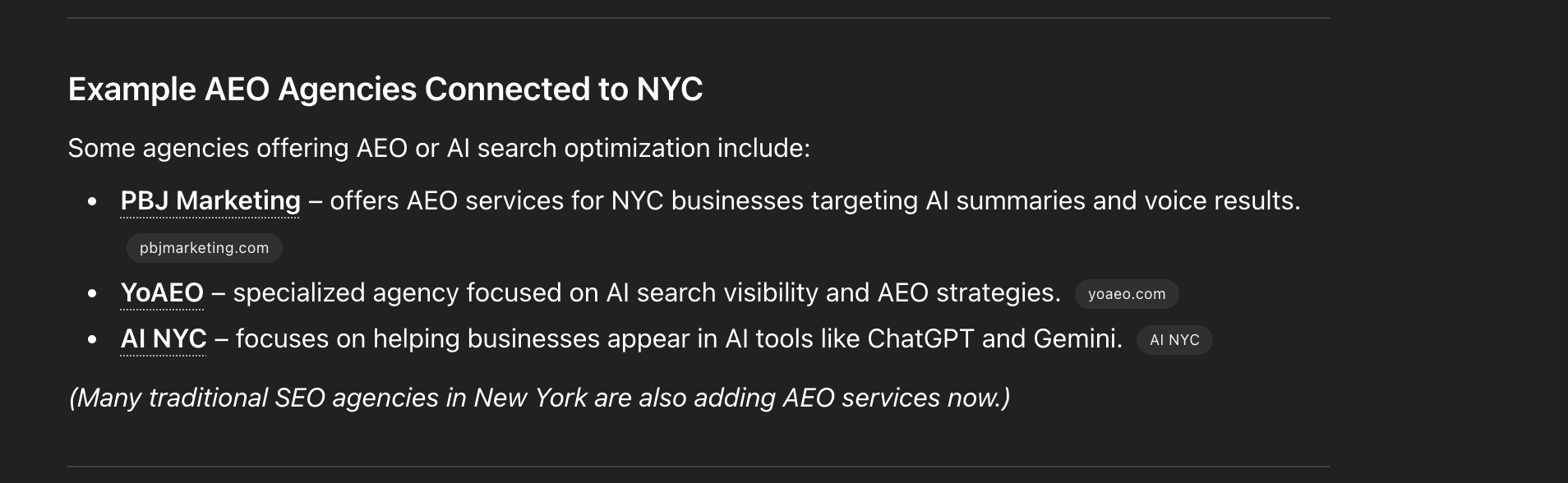
The above shows a ChatGPT search result for "AEO Agency NYC" on March 12th, 2026. Things to notice here:
- Only three results are shown
- ChatGPT links to the websites of the top results, showing the title, snippet, and URL.
That is one snapshot, one query, one moment in time. Canonry runs that observation continuously, across providers, with full history and diffing.
Competitor tracking
When Canonry runs a sweep across the providers you've configured, it doesn't just look for your citations. It also tracks your competitors. You see the relative position of every player in your category for every key phrase, on every run.
Workflow orchestration
Scheduled runs, webhook alerts, config-as-code, and a full HTTP API mean Canonry is the orchestration layer for your AEO work. You wire it into the rest of your stack and let agents handle the loop.
Getting started
When you run Canonry, you're met with the home page:
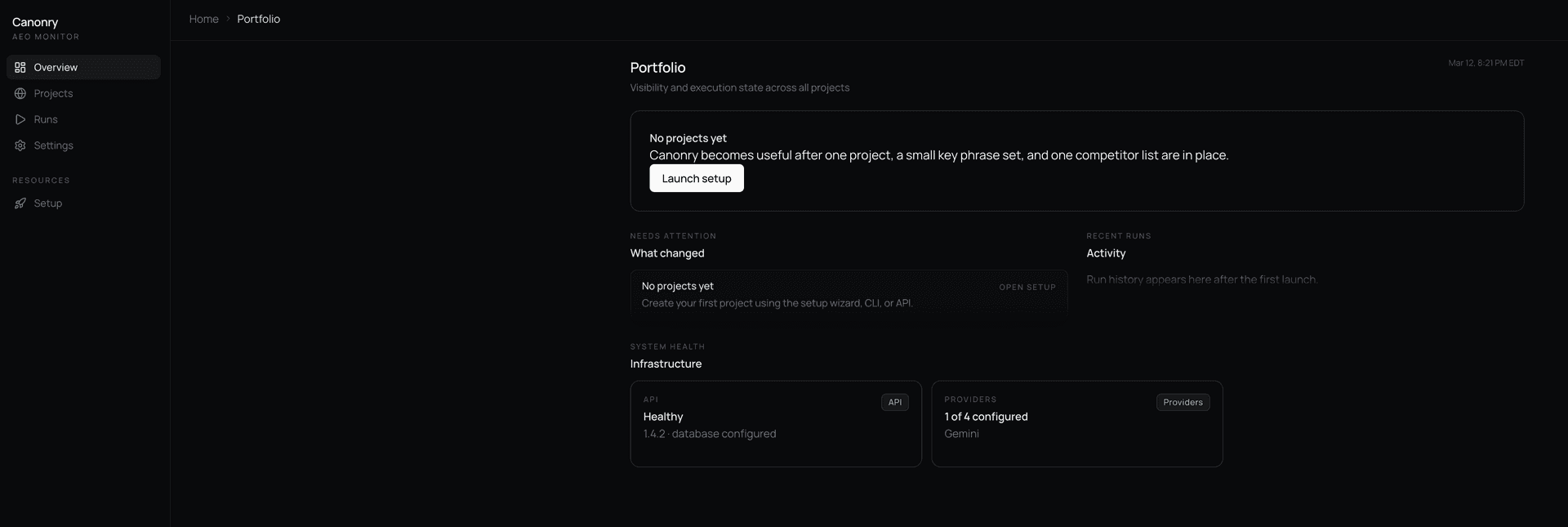
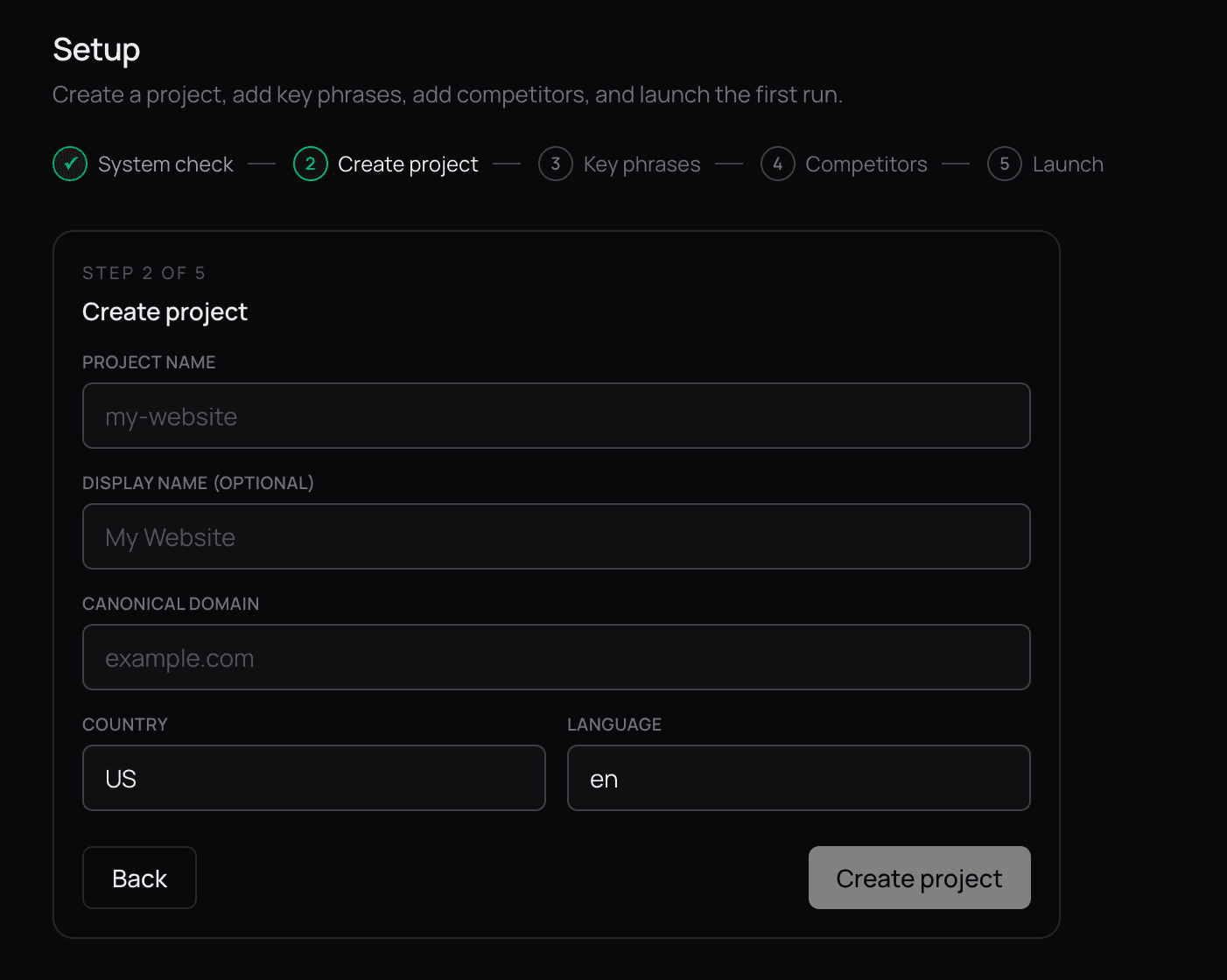
Here you set up providers (LLM APIs like Gemini, OpenAI, Claude or a local LLM). All of this using your own API keys. Then you configure your domain, which becomes your project:
Next, the most important part, the key phrases and potential competitors you want to track:
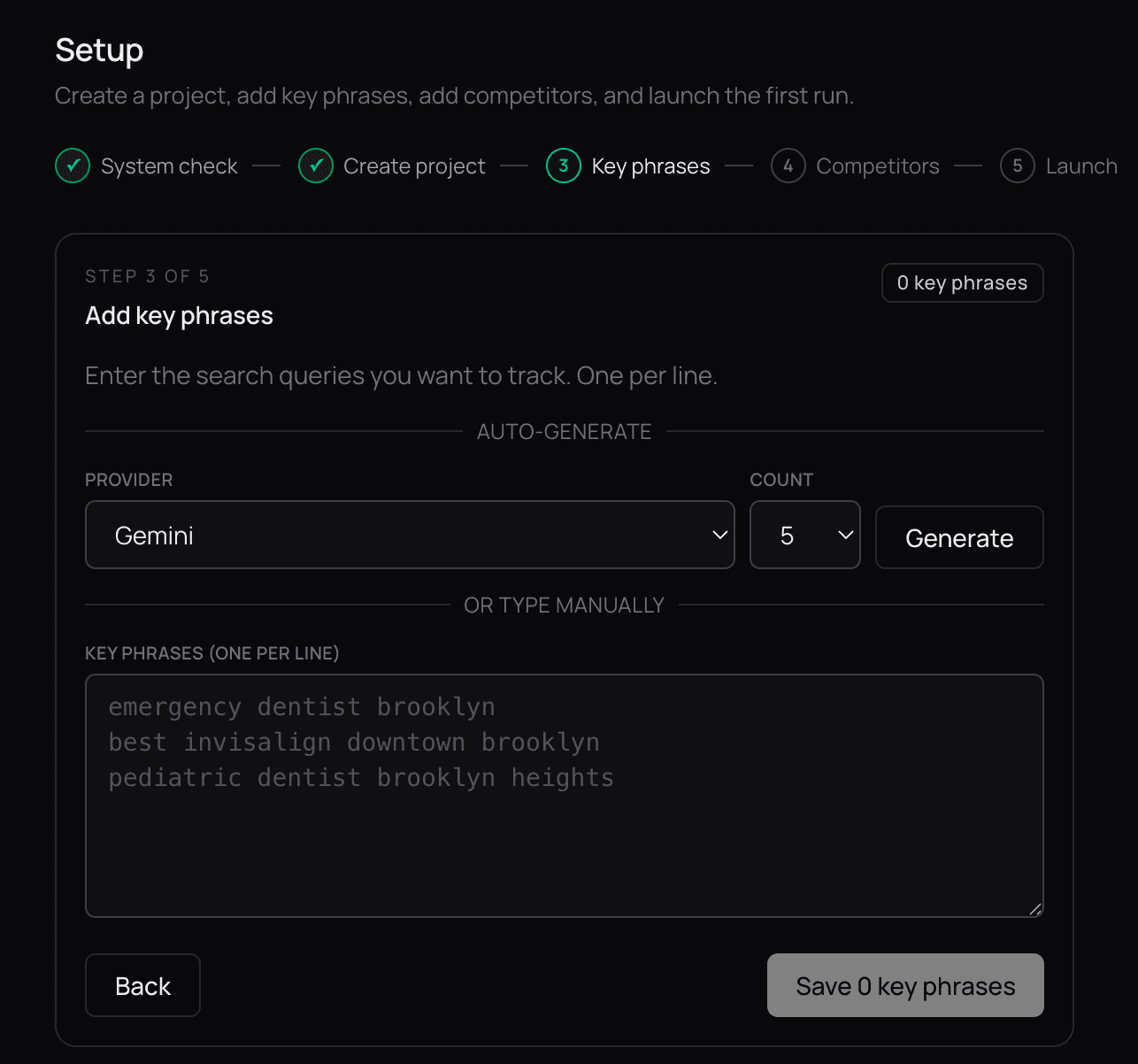
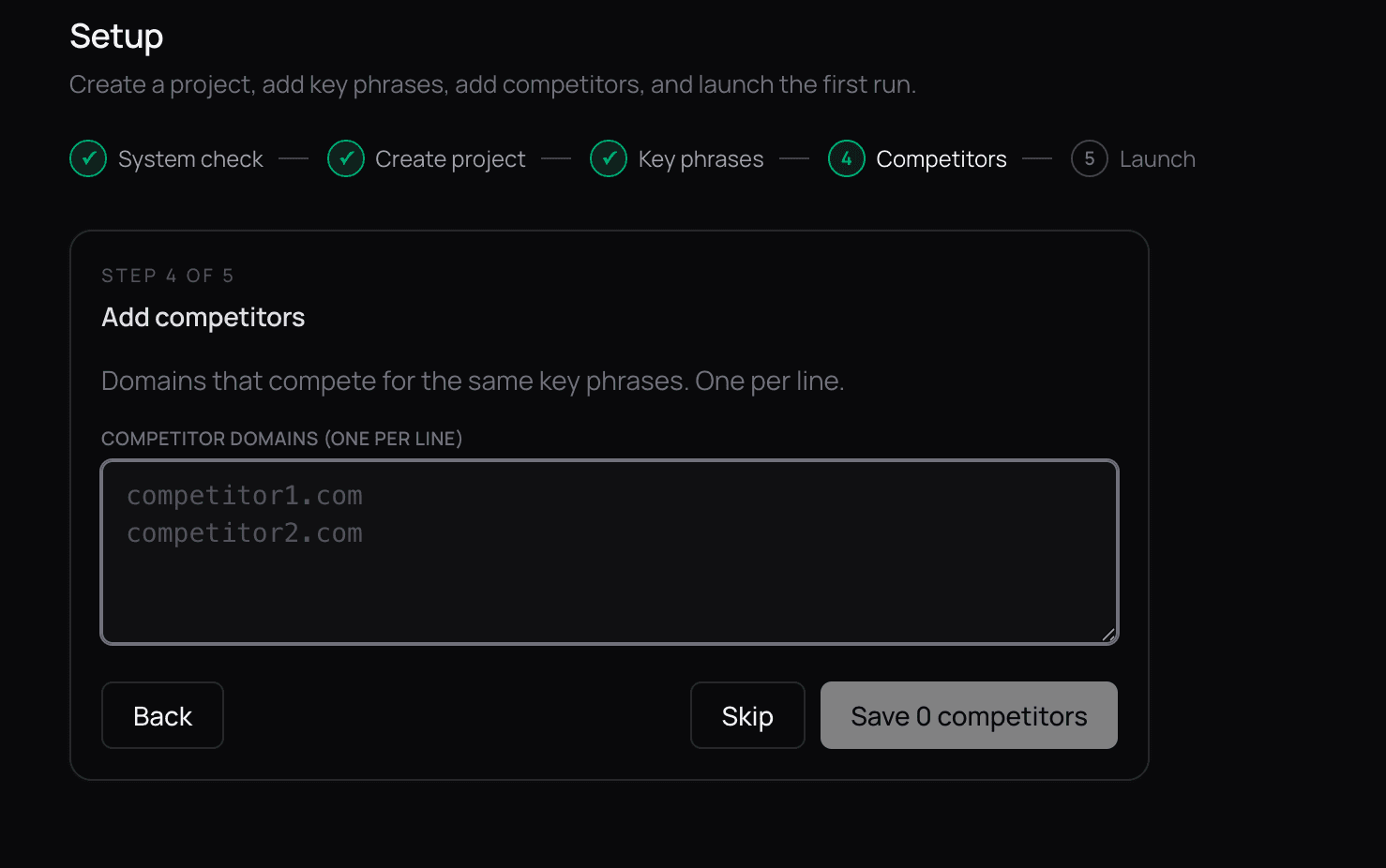
These phrases and competitors are what Canonry tracks over time. They can be updated at any time to reflect changes in your strategy. When agents run a sweep across the providers you configured, they look for both your citations and your competitors' citations, so you see how your website performs relative to the rest of the category.
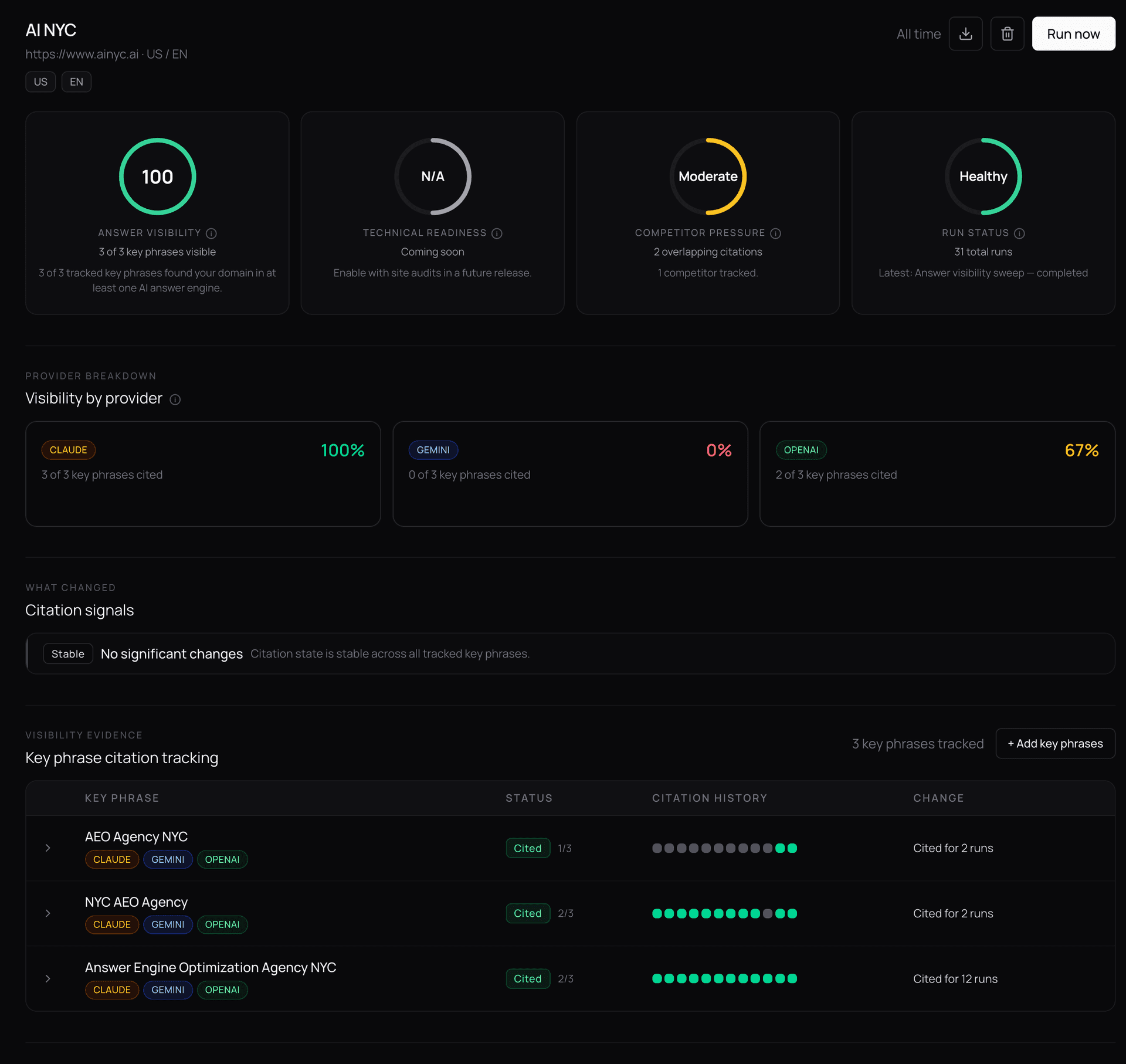
Trigger your first run and you land on the project dashboard, where you can see visibility over time, trigger runs on demand, set up scheduled runs, configure webhook alerts, and more:
A look at the data
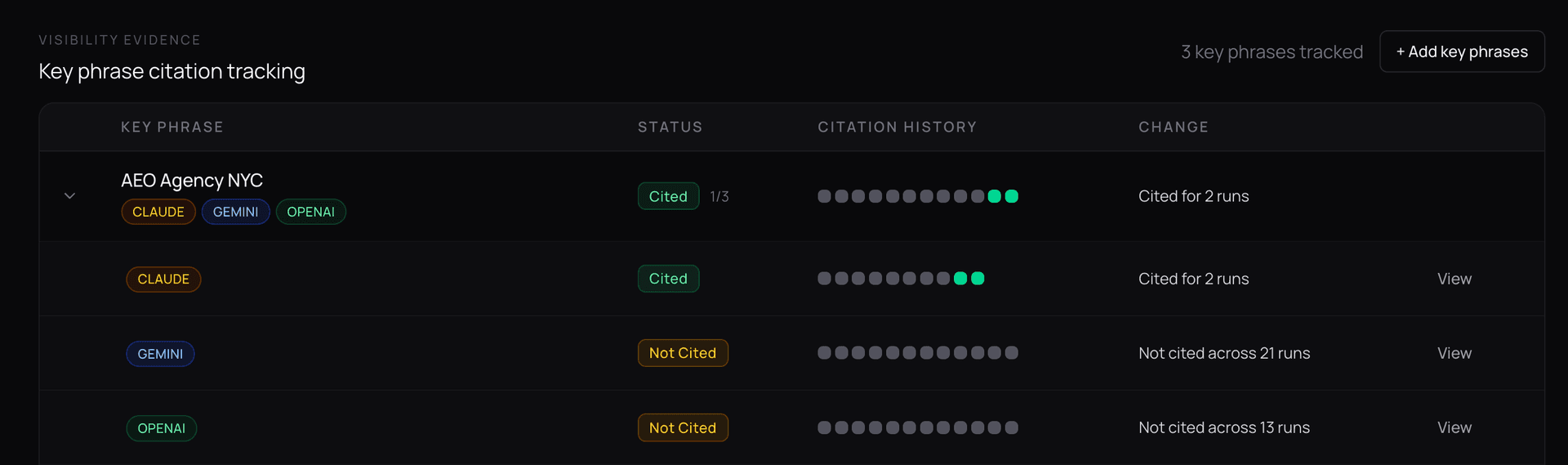
If I expand one of the key phrases in the visibility dashboard, I see a breakdown of how I was cited across all configured providers across every run, with changes called out. For example, for ainyc.ai, for the key phrase "AEO Agency NYC", I can see that Claude just started citing me in the last two runs:
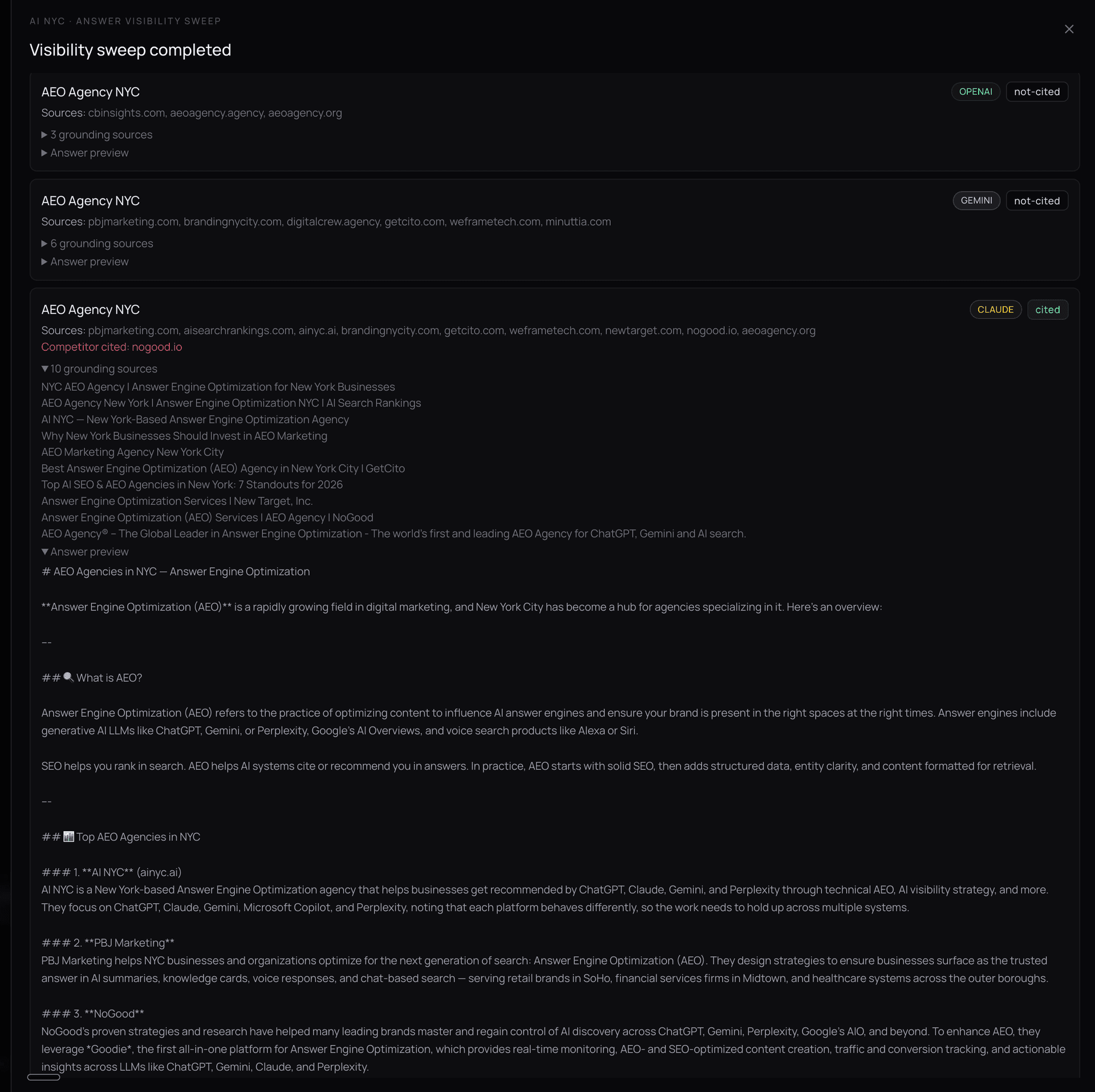
I can drill into the specific evidence for each run to see exactly how I was cited, including the surfaced text and the URL where it was found:
Roadmap: from platform to ecosystem
Canonry already handles multi-provider visibility runs, scheduling, webhooks, config-as-code, and a full API surface. The full roadmap is public. Here are the highlights.
Coming next: richer signals on top of the platform
- Share of Voice (SOV). The single most requested AEO metric. SOV = (runs where cited / total runs) as a percentage, computed per keyword and aggregated per project. This makes Canonry dashboards immediately comparable to paid tools.
- Citation position and prominence tracking. Record where in the answer your domain appears and whether it shows up in the first paragraph. Flat binary tracking becomes ranked visibility.
- Competitor SOV comparison. Extend SOV to show how your competitors perform alongside you for each keyword. Answers "who is winning the AI answer war for this keyword?"
- Sentiment classification. Classify mentions as positive, neutral, or negative. There is a big difference between "Brand X is the industry leader" and "Brand X has been criticized for..."
- Results CSV/JSON export. Export snapshot data as CSV for BI tool integration (Excel, Looker Studio, Tableau) without API coding.
More agents, more integrations
- Perplexity provider. Engine coverage from 3 to 4+ providers using Perplexity's OpenAI-compatible API.
- Answer diff viewer. Side-by-side comparison of how AI answers changed over time for the same query. Even most paid tools do not show full answer diffs.
- Site audit integration. Wire in
@ainyc/aeo-auditto give every project a Technical Readiness score alongside Answer Visibility. Two score families in one dashboard. - Content optimization recommendations. For keywords where you are not cited, an agent analyzes what sources were cited and why, then generates actionable recommendations to close the gap.
- Anomaly detection and smart alerts. Track rolling SOV averages and alert only when SOV drops or spikes beyond a configurable threshold, reducing noise.
Long-term initiatives
- Google AI Overviews provider. Track visibility in Google's AI Overview snippets.
- Historical trend analytics and forecasting. Time-series analytics over SOV, sentiment, and citation position with 7/30/90 day trends.
- Integrations ecosystem. Slack alerts, Google Sheets export, Looker Studio data source, and Zapier/n8n webhook documentation.
All of this stays open source. The full roadmap includes a priority matrix and implementation details for every feature. To contribute or follow along, head to canonry.ai or the GitHub repo.
FAQ
What is Canonry?
Canonry is the open-source, agent-first operating system for Answer Engine Optimization. It is a platform for running agents that observe, analyze, and act on how AI engines like ChatGPT, Claude, Gemini, and Perplexity cite your business. Citation monitoring is one capability. The platform also handles competitor analysis, scheduled runs, webhook automation, and workflow orchestration through a unified CLI, API, and web UI. Learn more at canonry.ai.
Is Canonry free to use?
Yes. Canonry is free to use under the FSL-1.1-ALv2 (Functional Source License). The code is publicly available and converts to Apache 2.0 after two years. You run it locally with your own API keys, so the only cost is the LLM API usage from the providers you configure.
Which AI providers does Canonry support?
Canonry supports OpenAI, Google Gemini, Anthropic Claude, and any local LLM with a compatible API. You can configure multiple providers and run agents that compare results across all of them.
What does agent-first mean?
Every capability in Canonry is exposed through three equal surfaces: a web UI for humans, a CLI for scripts, and an API for agents. Agents are first-class citizens, not an afterthought bolted on top of a UI. You can build automated workflows that run on a schedule, react to webhooks, or chain together as part of a larger AEO pipeline.
Do I need to be technical to use Canonry?
Right now, yes. Canonry runs locally on Node.js with your own API keys. We plan to add a hosted option in the future, but for now it is designed for engineers, AEO operators, and technical marketers who want full control over their citation infrastructure.
How is Canonry different from monitoring tools?
Most AEO tools are closed dashboards: they show you a citation chart and stop there. Canonry is an operating system. Monitoring is one workflow on top of a programmable platform that runs agents, schedules work, fires webhooks, and chains into your existing infrastructure. It is open source, agent-first, and uses your own API keys, so you own your data and your automation.
Try it yourself.
Run a free AEO audit to see how your site scores, or explore the tools and pages referenced in this article.